AR and VR for your website
Add-ons that let customers see your product or your place in 3D before they buy or book. They work in the web browser on phones, computers and VR headsets. Try each one below.
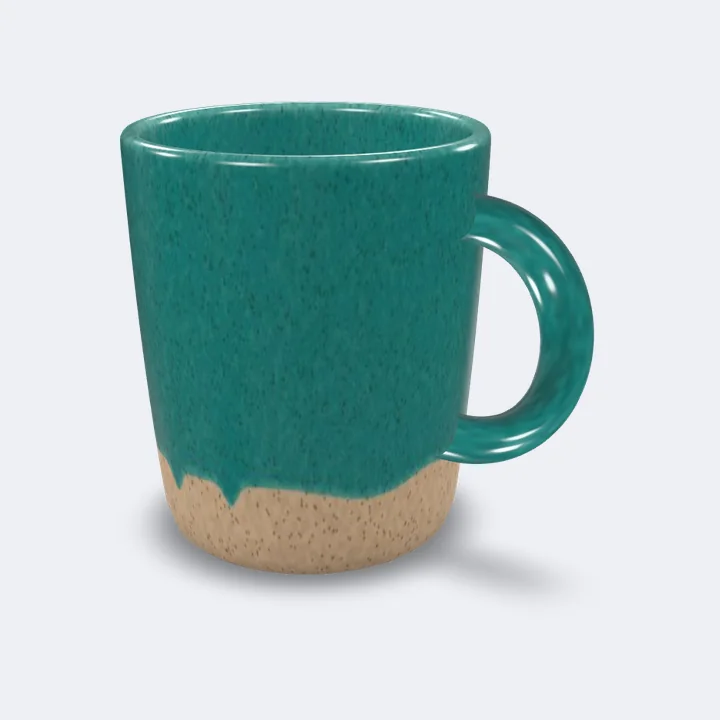
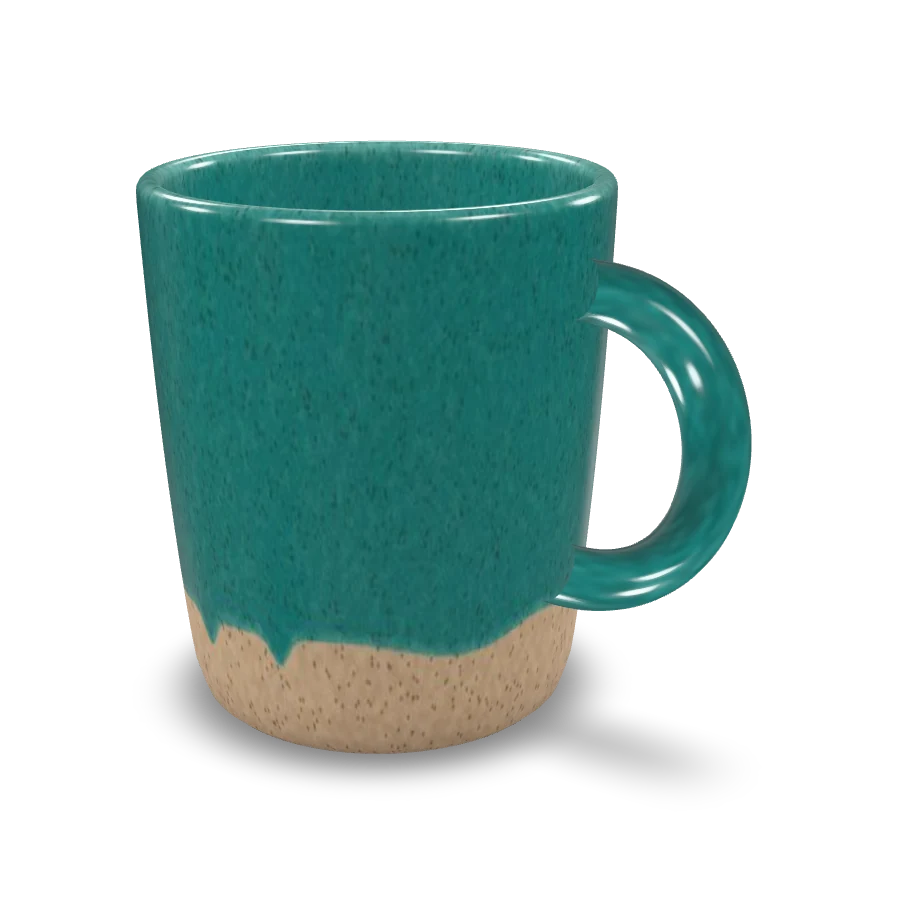
This mug is a 3D model we made for this page. It is 9.6 cm tall, and the room view shows it at that size.
Try the room view on your phone. Scan this code with the phone camera, then tap View in your room to place the mug on your table.
AR for online shops
Product in your room
Shoppers drag to turn the product and see it from every side. On a phone they can tap View in your room and see it on their table or floor, at its real size, through the camera.
Who it suits
Shops whose customers want to see a product up close before they buy, such as ceramics and homeware, furniture and lighting, bags and shoes.
What we need from you
Photos of the product from every side, with its measurements. We build the 3D model from those. If your maker already has 3D files, send those too.
Where it works
On Shopify the 3D model sits with the product photos on the product page. On WordPress and other sites we add the same viewer to the page.
Uses your camera. Nothing is recorded or sent.
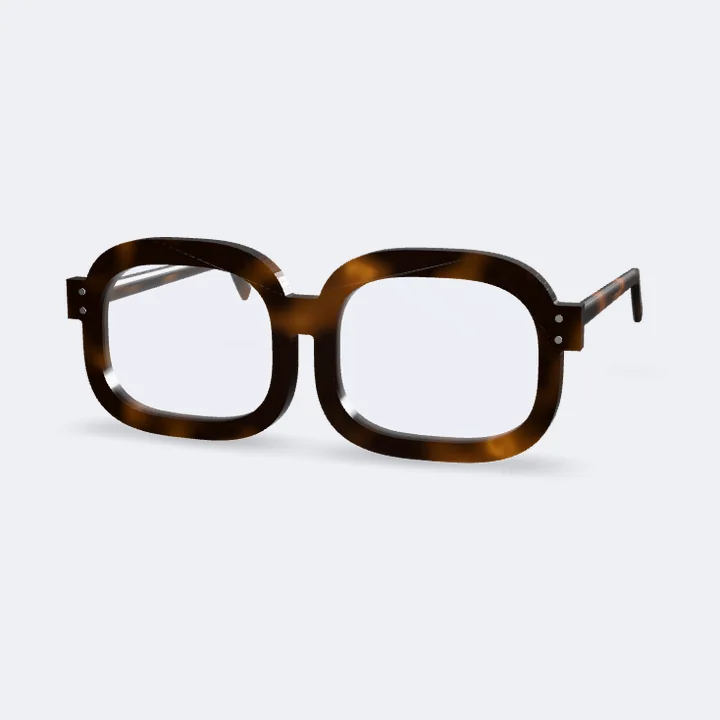
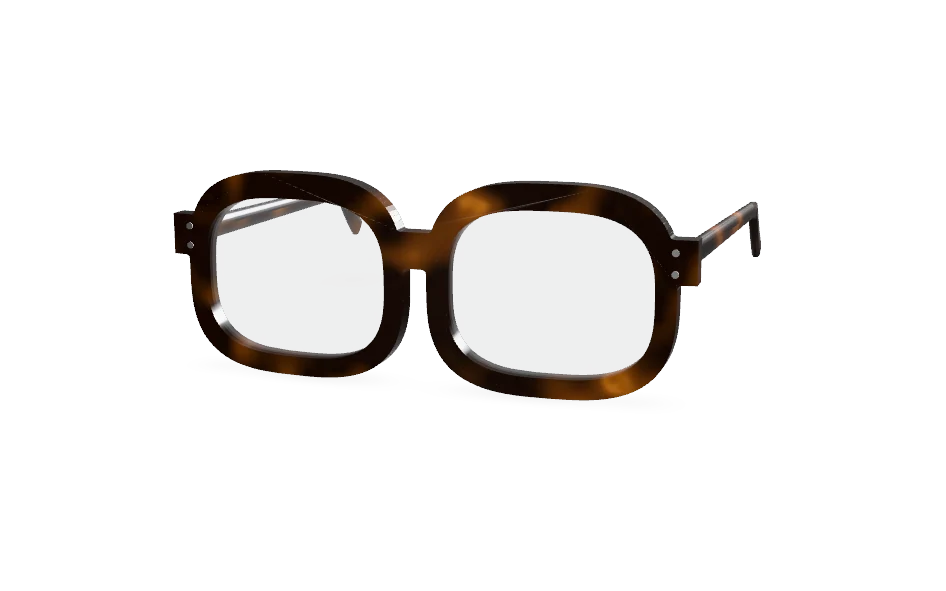
The glasses are a 3D model we made for this page. Google's face tracking finds your eyes and nose on your device.
Try them on with your phone. Scan this code with the phone camera, then tap Try on the glasses.
AR for eyewear and accessories
Try it on with the camera
Customers see the frames on their own face and turn their head to check every side. They can switch colours before they choose.
Who it suits
Glasses and sunglasses shops. The face tracking is most precise around the eyes and nose, so frames sit well and move with the head.
What we need from you
A 3D model of each frame, which we can build from photos and measurements, or the files from your maker.
Where it works
In the web browser on phones and computers with a camera. The camera picture stays on the device.
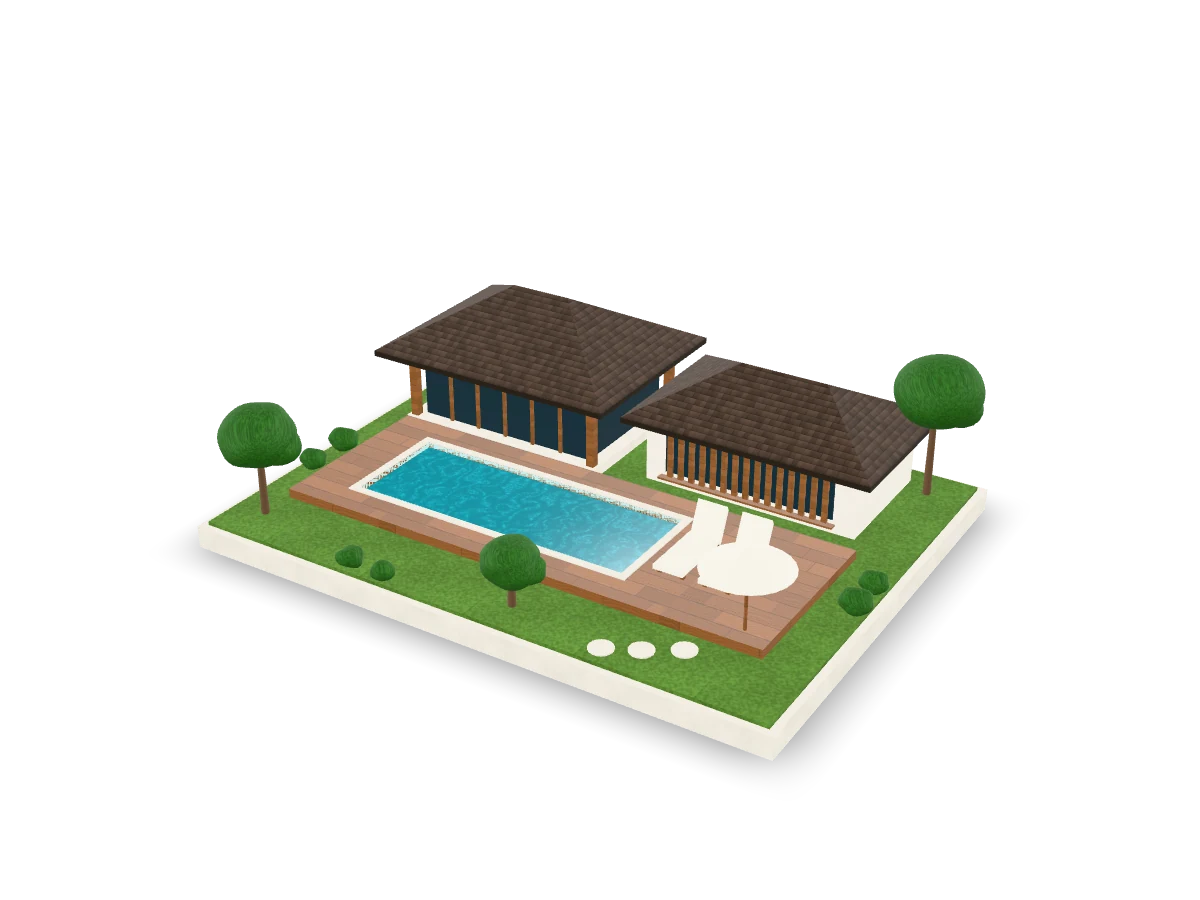
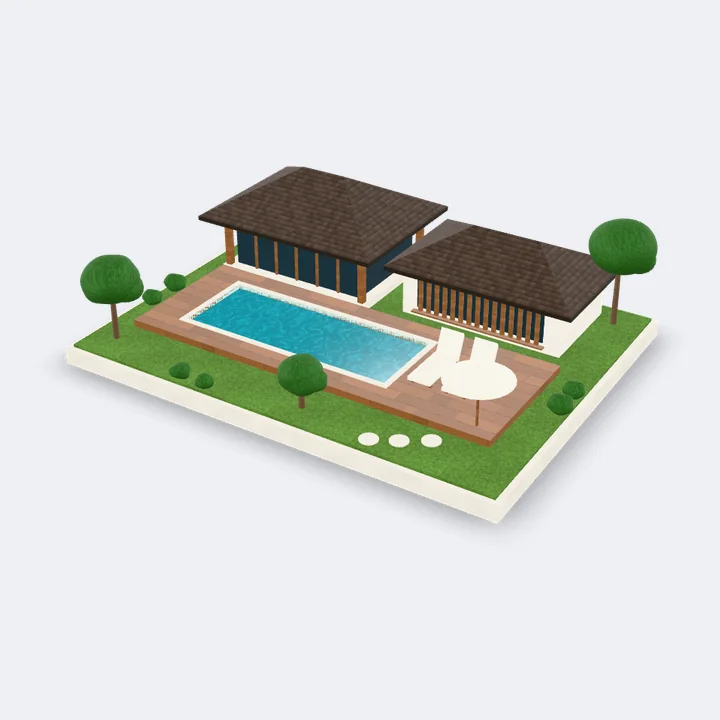
An example villa we modelled for this page. The table view shows it as a model 32 cm wide.
See the villa on your table. Scan this code with the phone camera, then tap View on your table.
AR for villas, resorts and developers
A model of your villa on the table
Guests and buyers turn the villa around and see how the rooms, the pool and the garden fit together. On a phone they can put it on a real table and walk around it.
Who it suits
Villas and resorts, and developers selling homes that are not built yet.
What we need from you
Floor plans and photos, or the 3D files from your architect.
Where it works
On any site we build. The table view uses Apple's AR on iPhone and Google's AR on Android.
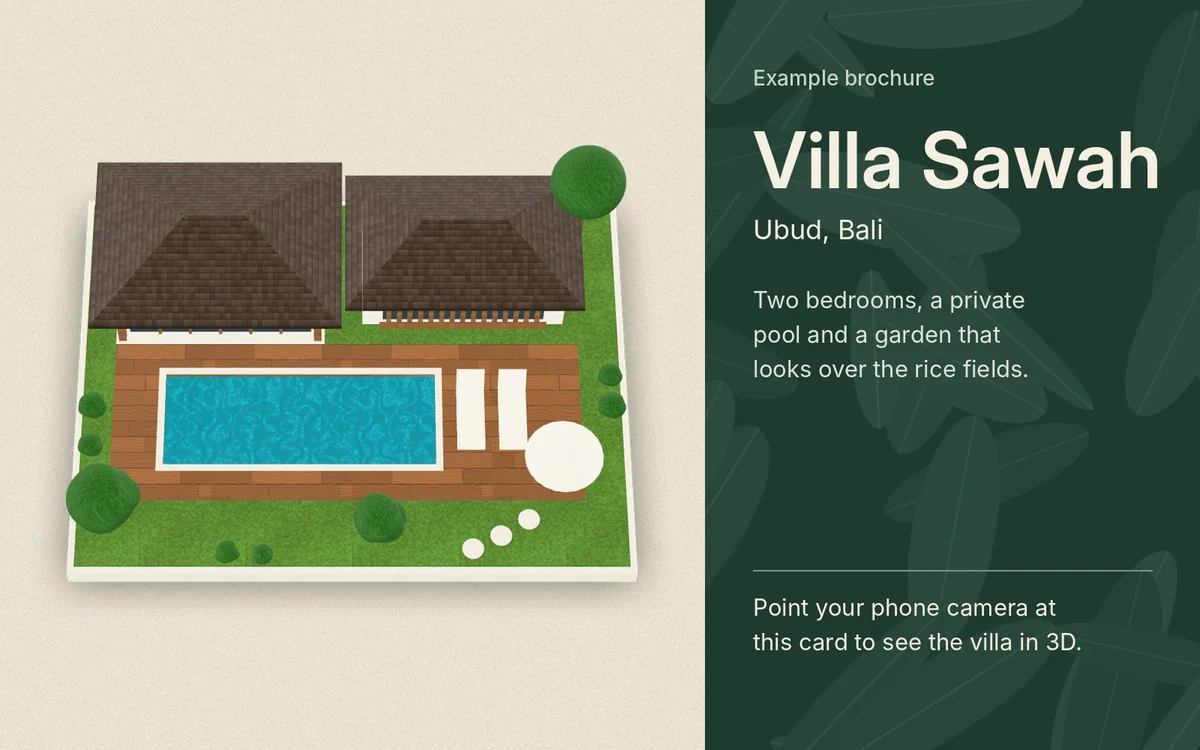
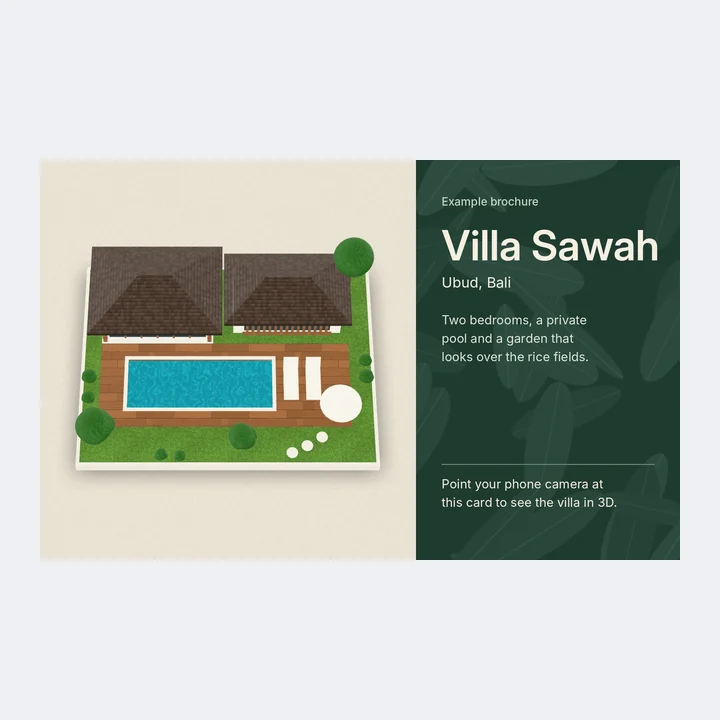
Point your phone at this card on a computer screen, or print it. The villa rises out of the drawing. Villa Sawah is an example, not a real property.
Open this page on your phone. Scan this code, tap Start the camera, then point the phone at the card on this screen.
AR for brochures, menus and posters
Scan a brochure and it comes to life
A printed brochure, menu or poster shows a 3D model, a video or a booking link when a phone points at it. The printed piece leads people back to your website.
Who it suits
Hotels, villas, restaurants and developers that print brochures, menus, posters or packaging.
What we need from you
The printed piece, and what should appear on it. That can be a 3D model, a video or a page of your site.
Where it works
In the web browser on phones with a camera. There is no app to install.
VR for hotels, villas and venues
360° tour, also in a VR headset
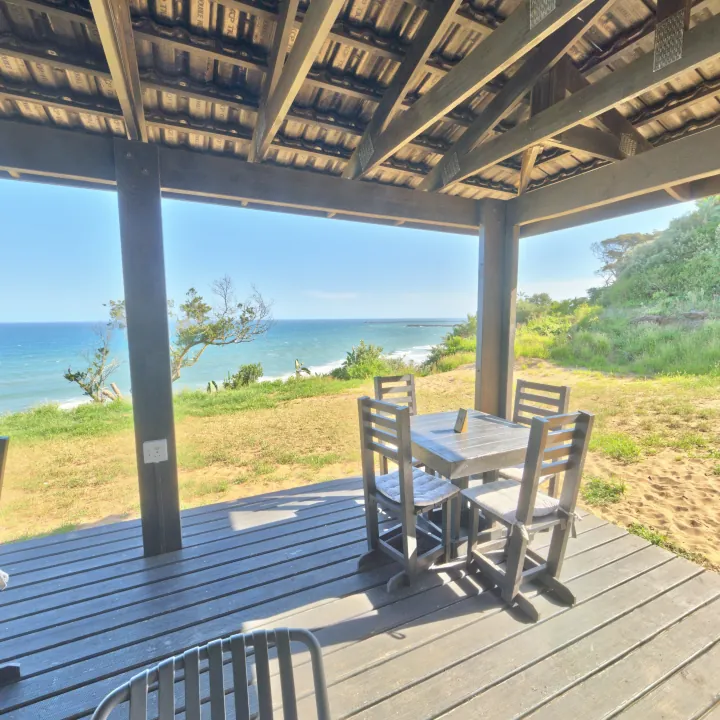
Guests look around a space in every direction, then tap the arrow to move to the next one. In a VR headset they stand inside the space and point at the arrow to move.
The deck and the lawn are free 360° photos from Poly Haven, taken at one seaside café. For a client we use photos of the real property. To try the VR view, open this page in the browser of a VR headset such as Meta Quest or Apple Vision Pro and tap View in VR.
Who it suits
Hotels, villas, guesthouses and event venues. Restaurants, studios and galleries use tours too, so people know the space before they visit.
How we make it
Each space is photographed with a 360° camera. We can arrange the photos, or use 360° photos you already have. Then we link the rooms with arrows and add the tour to your pages.
Where it works
On any site we build, on phones, computers and VR headsets. On a phone guests can drag to look around, or move the phone itself.
How it is priced
Each add-on can be part of a package or added to a site you already have. The price depends on how many products, frames, rooms or printed pieces you want, and it is written in your proposal with everything else.
Send an enquiryChat on WhatsAppWill it make my pages slower?
No. Each demo loads only when a visitor scrolls to it or taps its button, so the top of the page loads as before.
Do my customers need to install an app?
No. Everything on this page runs in the web browser. The room views use Apple's AR on iPhone and Google's AR on Android. The try-on and the brochure scan use the camera inside the browser, and the VR tour opens in the browser of the headset.
Is the camera picture saved or sent anywhere?
No. The try-on and the brochure scan find the face or the card on the phone itself. Nothing is recorded, saved or sent.
Can you use 3D files I already have?
Often, yes. Many makers and architects have 3D files of their products or buildings. Send us what you have and we check whether the files can go on the web as they are or need work first.
Can you add this to the site I have now?
Usually, yes. We look at your site first and tell you in the proposal how each add-on would be added and what it costs.
Tell us about your business.
Write a few lines, or message us on WhatsApp. We reply within one business day, and our first reply is questions, not a quote.
- Tell us what you sell or do
- Tell us who your customers are
- Tell us what a good month looks like